Introduction
Search Engine Optimization (SEO) involves many ranking factors, from backlinks and page speed to keyword optimization and content quality. However, one of the most overlooked yet highly important on-page SEO elements is the proper use of header tags. Header tags—commonly known as H1, H2, H3, H4, H5, and H6—help organize content, improve readability, and provide search engines with a clear understanding of a webpage’s structure.
Among these tags, H1, H2, and H3 are the most commonly used and the most important for SEO. When implemented correctly, they improve user experience, help search engines understand page hierarchy, increase content scannability, and contribute to better rankings.
In this comprehensive guide, you’ll learn everything about header tags, their importance in SEO, best practices, common mistakes, and how to optimize them effectively for both users and search engines.
What Are Header Tags?
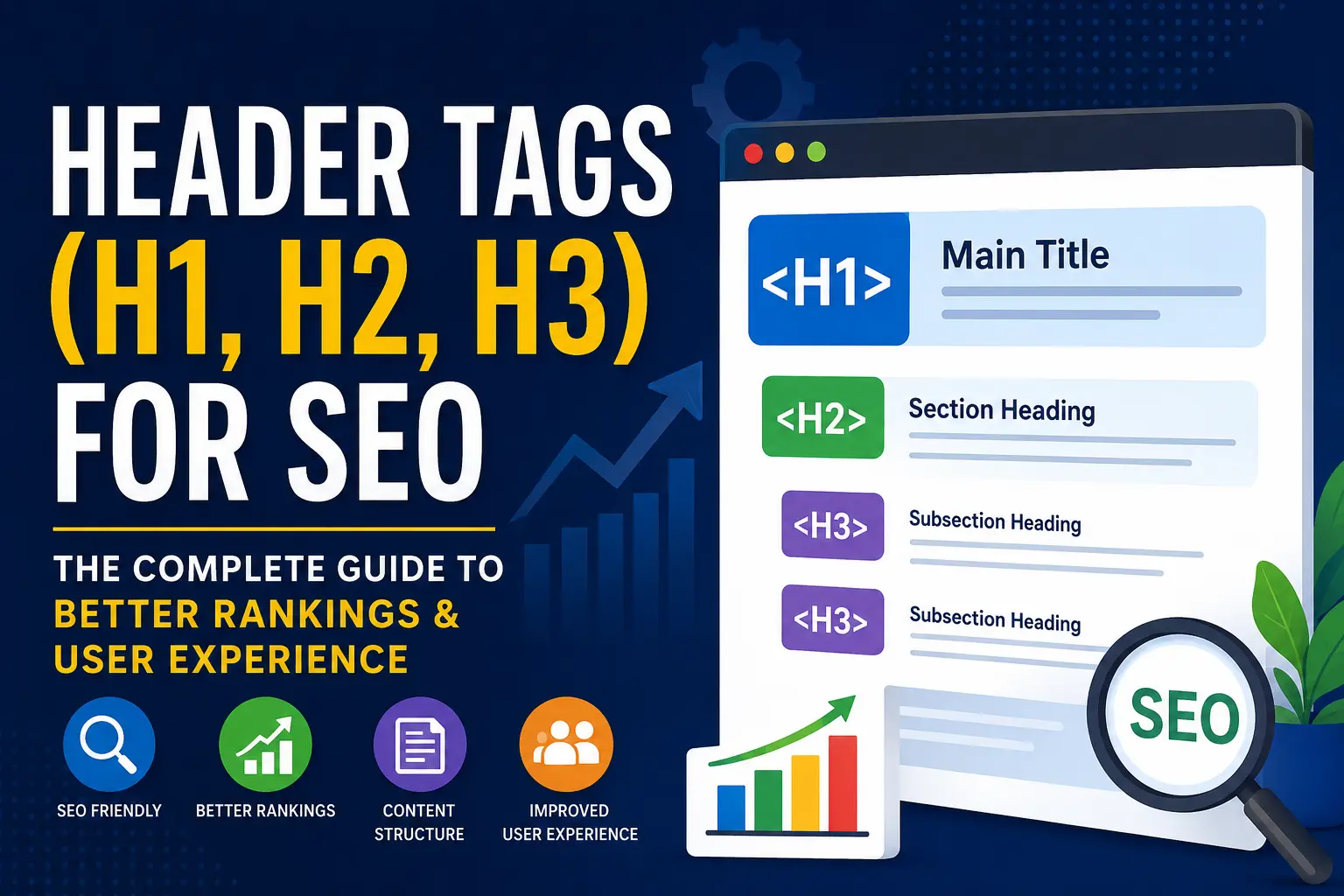
Header tags are HTML elements used to define headings and subheadings on a webpage. They create a structured hierarchy that organizes content into logical sections.
The hierarchy follows this order:
- H1 – Main page title
- H2 – Main section headings
- H3 – Subsections under H2 headings
- H4 – Subsections under H3
- H5 – Further subdivisions
- H6 – Lowest level heading
Example:
<h1>Complete SEO Guide</h1>

<h2>What is SEO?</h2>

<h3>On-Page SEO</h3>

<h3>Off-Page SEO</h3>

<h2>Why SEO Matters</h2>

<h3>Increased Traffic</h3>

<h3>Better Visibility</h3>
This structure helps both users and search engines understand how information is organized.
 SEO
SEO
KR Krishna Kushwaha| Jun 02, 2026| 8 min read
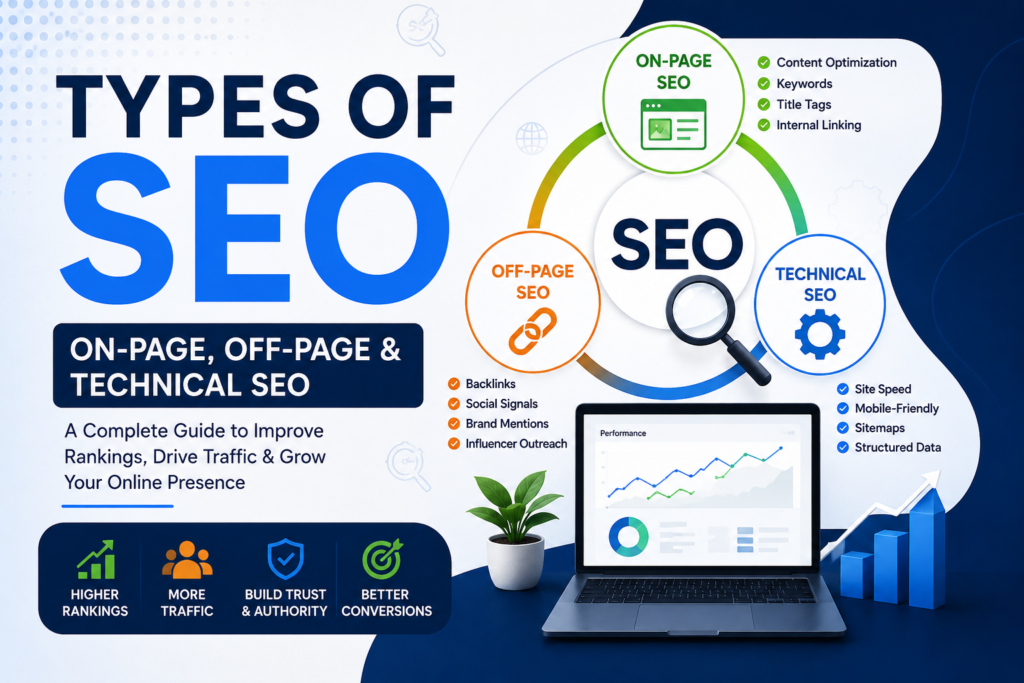
Types of SEO: On-Page, Off-Page, and Technical SEO
Why Header Tags Matter for SEO
Many website owners focus heavily on keywords but overlook content structure. Search engines use header tags to determine the relevance and organization of content.
Properly optimized headings can:
- Improve content readability
- Help search engines understand page topics
- Increase user engagement
- Reduce bounce rates
- Improve accessibility
- Support featured snippet opportunities
- Strengthen keyword relevance
While header tags alone won’t guarantee top rankings, they play a significant role in overall on-page SEO
 SEO
SEO
KR Krishna Kushwaha| Jun 02, 2026| 8 min read
SEO for Beginners: Complete Guide
Understanding the H1 Tag
What Is an H1 Tag?
The H1 tag represents the primary heading of a webpage. It tells users and search engines what the page is about.
Think of the H1 as the title of a book.
Example:
<h1>Header Tags for SEO: Complete Guide</h1>
When a visitor lands on the page, the H1 should immediately communicate the main topic.
 SEO
SEO
KR Krishna Kushwaha| Jun 02, 2026| 9 min read
Why SEO Is Important for Businesses
Why the H1 Tag Is Important
The H1 tag serves several purposes:
1. Defines Page Topic
Search engines analyze the H1 to identify the main subject of the content.
2. Improves User Experience
Users can instantly understand what information the page provides.
3. Supports Keyword Relevance
Including your primary keyword in the H1 helps reinforce topical relevance.
4. Creates Content Structure
The H1 acts as the starting point for the entire heading hierarchy.
 SEO
SEO
KR Krishna Kushwaha| Jun 02, 2026| 9 min read
Organic Traffic vs Paid Traffic
H1 SEO Best Practices
Use Only One H1 Per Page
A single H1 creates clarity for both users and search engines.
Example:
<h1>Best Digital Marketing Strategies for 2025</h1>
Avoid multiple competing H1s whenever possible.
Include the Primary Keyword
Place your target keyword naturally within the H1.
Good Example:
<h1>Header Tags for SEO: The Ultimate Guide</h1>
Bad Example:
<h1>SEO SEO SEO Header Tags SEO Guide</h1>
Keyword stuffing can hurt readability and user experience.
Keep It Clear and Descriptive
An H1 should immediately communicate the topic.
Good:
<h1>How to Optimize Header Tags for SEO</h1>
Poor:
<h1>Read This Now</h1>
Maintain Reasonable Length
Aim for approximately 20–70 characters.
Long, complicated headings can reduce clarity.
Understanding H2 Tags
What Is an H2 Tag?
H2 tags represent the major sections of your content.
If the H1 is the book title, H2 tags are the chapter titles.
Example:
<h2>Benefits of Header Tags</h2>
Each H2 should introduce a new section.
Why H2 Tags Matter for SEO
H2 tags help search engines understand the major topics covered on a page.
Benefits include:
- Better content organization
- Improved readability
- Enhanced keyword relevance
- Increased engagement
- Easier navigation
H2 Tag Best Practices
Break Content Into Logical Sections
Long walls of text overwhelm readers.
Use H2s to divide content into manageable sections.
Example:
<h2>What Are Header Tags?</h2>

<h2>Benefits of Header Tags</h2>

<h2>Header Tag SEO Best Practices</h2>
Include Secondary Keywords
H2 tags provide opportunities to target related keywords.
Examples:
<h2>SEO Benefits of Header Tags</h2>

<h2>Common Heading Mistakes</h2>

<h2>Header Tag Optimization Tips</h2>
Write User-Focused Headings
Avoid robotic keyword stuffing.
Good:
<h2>How Header Tags Improve Search Rankings</h2>
Bad:
<h2>Header Tags SEO Ranking Header Tags</h2>
Understanding H3 Tags
What Is an H3 Tag?
H3 tags are subsections under H2 headings.
They provide additional structure and detail.
Example:
<h2>Benefits of Header Tags</h2>

<h3>Improved Readability</h3>

<h3>Better SEO Performance</h3>

<h3>Enhanced User Experience</h3>
Why H3 Tags Matter
H3 tags help:
- Break down complex topics
- Improve content scanning
- Create logical flow
- Support long-form content
- Increase readability
H3 Best Practices
Use H3s Under Relevant H2s
Maintain a logical hierarchy.
Correct Structure:
H1
 └── H2
      └── H3
Incorrect Structure:
H1
 └── H3
Skipping levels can create confusion.
Keep Headings Descriptive
Good:
<h3>How Search Engines Interpret Headings</h3>
Poor:
<h3>More Information</h3>
Ideal Header Structure for SEO
A properly structured article might look like this:
<h1>Header Tags for SEO</h1>

<h2>What Are Header Tags?</h2>

<h3>Definition</h3>

<h3>HTML Structure</h3>

<h2>Benefits of Header Tags</h2>

<h3>Readability</h3>

<h3>User Experience</h3>

<h3>Keyword Optimization</h3>

<h2>Best Practices</h2>

<h3>Using Keywords</h3>

<h3>Avoiding Mistakes</h3>
This hierarchy makes content easy to understand.
How Search Engines Use Header Tags
Google and other search engines analyze heading structures to determine:
- Main topic
- Supporting topics
- Content hierarchy
- User intent
- Semantic relationships
Headers provide contextual clues that help search engines understand page relevance.
For example:
<h1>Email Marketing Guide</h1>

<h2>Email Marketing Strategies</h2>

<h3>Welcome Email Campaigns</h3>

<h3>Newsletter Optimization</h3>
Google can easily identify the page focus and supporting topics.
Header Tags and Featured Snippets
Featured snippets often pull content from well-structured pages.
Using clear H2 and H3 headings can improve your chances of appearing in:
- Paragraph snippets
- List snippets
- FAQ snippets
- Step-by-step snippets
Example:
<h2>How to Optimize Header Tags</h2>
Followed by a concise answer.
This format makes content easier for Google to extract.
Header Tags and User Experience
SEO is no longer just about rankings.
Google increasingly evaluates user satisfaction signals.
Well-structured headings help users:
- Scan content quickly
- Find relevant information
- Stay longer on pages
- Reduce frustration
A positive user experience often leads to:
- Lower bounce rates
- Higher engagement
- Better conversion rates
Header Tags and Accessibility
Header tags improve website accessibility for users with disabilities.
Screen readers use heading structures to navigate content.
A logical heading hierarchy allows visually impaired users to understand page organization.
Example:
H1 → Main Topic

H2 → Section

H3 → Subsection
Accessibility improvements can indirectly support SEO by enhancing user experience.
Common Header Tag Mistakes
Using Multiple H1 Tags Incorrectly
Having multiple H1s can create confusion.
Instead:
Use one clear H1 and multiple H2s.
Skipping Heading Levels
Incorrect:
H1

H3
Correct:
H1

H2

H3
Maintain logical progression.
Keyword Stuffing
Bad Example:
<h2>Best SEO Header Tags SEO Optimization SEO Tips</h2>
Good Example:
<h2>Best Practices for SEO Header Tags</h2>
Using Headings Only for Styling
Some designers use headings merely because they look larger.
Avoid:
<h2>Contact Us</h2>
when a heading structure isn’t appropriate.
Use CSS for styling instead.
Writing Generic Headings
Avoid vague headings like:
- Introduction
- More Information
- Details
Use descriptive headings that communicate value.
Header Tags and Keyword Optimization
Keywords should be included naturally.
Best locations:
- H1
- Important H2s
- Relevant H3s
Example:
Primary Keyword:
“Header Tags for SEO”
Usage:
<h1>Header Tags for SEO</h1>

<h2>Why Header Tags Matter for SEO</h2>

<h3>Header Tag Optimization Tips</h3>
Natural placement works best.
Header Tags for Long-Form Content
Articles exceeding 2,000 words require strong organization.
Benefits include:
- Better readability
- Easier navigation
- Improved engagement
- Enhanced SEO signals
Long-form content without headings often performs poorly because users struggle to consume it.
SEO Tools for Checking Header Tags
Several tools can audit heading structures.
Popular options include:
- Google Search Console
- Screaming Frog SEO Spider
- Ahrefs
- SEMrush
- Moz Pro
- Sitebulb
These tools help identify:
- Missing H1s
- Duplicate H1s
- Heading hierarchy issues
- Keyword opportunities
Header Tags vs Title Tags
Many people confuse these two elements.
Title Tag
Appears in search results.
Example:
<title>Header Tags for SEO: Complete Guide</title>
H1 Tag
Appears on the webpage.
Example:
<h1>Header Tags for SEO</h1>
They can be similar but do not need to be identical.
Advanced Header Tag Optimization Tips
Use Questions as H2s
Question-based headings align with search intent.
Examples:
<h2>What Are Header Tags?</h2>

<h2>Why Are Header Tags Important for SEO?</h2>
Match User Intent
Consider what users want to know.
Create headings that answer real questions.
Optimize for Voice Search
Voice searches often use conversational queries.
Examples:
<h2>How Do Header Tags Improve SEO?</h2>
Build Topic Clusters
Use headings to support broader topical relevance.
Example:
H1: SEO Guide

H2: Technical SEO

H2: On-Page SEO

H2: Off-Page SEO
This demonstrates comprehensive coverage.
Example of Perfect Header Structure
<h1>Complete Guide to Header Tags for SEO</h1>

<h2>What Are Header Tags?</h2>

<h3>Definition</h3>

<h3>HTML Examples</h3>

<h2>Why Header Tags Matter</h2>

<h3>Search Engine Understanding</h3>

<h3>User Experience</h3>

<h3>Accessibility</h3>

<h2>SEO Best Practices</h2>

<h3>H1 Optimization</h3>

<h3>H2 Optimization</h3>

<h3>H3 Optimization</h3>

<h2>Common Mistakes</h2>

<h3>Keyword Stuffing</h3>

<h3>Multiple H1 Tags</h3>

<h3>Skipping Heading Levels</h3>
This structure is both SEO-friendly and user-friendly.
Conclusion
Header tags are a foundational element of on-page SEO. While they may seem simple, they play a crucial role in helping search engines understand content and helping users navigate webpages efficiently.
A properly optimized heading structure improves readability, enhances user experience, strengthens keyword relevance, supports accessibility, and contributes to better search visibility. The H1 tag establishes the main topic, H2 tags organize primary sections, and H3 tags break down those sections into digestible subsections.
By following SEO best practices—using a single H1, maintaining a logical hierarchy, incorporating keywords naturally, and focusing on user intent—you can create content that performs better in search engines and provides a superior experience for readers.
As search algorithms continue to prioritize content quality and user satisfaction, effective use of header tags remains one of the simplest yet most powerful ways to improve your website’s SEO performance
Header tags are HTML elements used to organize and structure content on a webpage. They range from H1 to H6, with H1 representing the main heading and H6 representing the least important heading. These tags help search engines understand the hierarchy of content while making webpages easier for users to read and navigate. Proper use of header tags improves readability, accessibility, and overall on-page SEO performance.
Header tags help search engines identify the main topics and subtopics of a webpage. They provide contextual signals that make it easier for search engines to understand content relevance. Additionally, well-structured headings improve user experience by allowing visitors to scan content quickly and find the information they need. Better user engagement often contributes to improved SEO performance.
SEO best practices generally recommend using one H1 tag per page. The H1 should clearly communicate the primary topic of the content. While modern search engines can understand pages with multiple H1 tags, having a single, well-optimized H1 creates a cleaner structure and reduces potential confusion for both users and search engines.
Yes, including the primary keyword in the H1 tag is recommended whenever it fits naturally. The H1 acts as a strong relevance signal and helps search engines understand the main subject of the page. However, avoid keyword stuffing and focus on creating a clear, user-friendly heading that accurately describes the content
The H1 tag represents the main title of the page. H2 tags are used for major sections within the content, while H3 tags are used for subsections under H2 headings. Together, they create a logical content hierarchy that improves readability and helps search engines understand the relationship between different topics on the page.
Leave a Reply